

Notary Public, Mobile Notary, and Apostille Services

At Golden Seal Solutions, our mission is to make notarization fast, simple, and stress-free — whether in person or online. Below, you’ll find our pricing options for various notarization needs in Florida (other State(s) may vary). Each package is designed to offer flexible, secure, and convenient notary services to guide you through your important documents with confidence and ease.

General Notary Pricing– Legal Forms

Document Type In-Person Notarization Remote Online Notarization (RON)
Power of Attorney $10 per notarization $25 per notarization
Last Will & Testament (no witnesses) $10 per notarization $25 per notarization
Living Will / Healthcare Directive $10 per notarization $25 per notarization
Divorce Agreement / Settlement Forms $10 per notarization $25 per notarization
Affidavits / Sworn Statements $10 per notarization $25 per notarization
Child Custody / Parental Consent Forms $10 per notarization $25 per notarization
Durable Financial Power of Attorney $10 per notarization $25 per notarization
Name Change Petition $10 per notarization $25 per notarization
Court-Filed Documents (various) $10 per notarization $25 per notarization
Additional Notarized Item $5 each $10 each

Note: Florida law sets a maximum of $10 per in-person notarization and $25 for RON. Fees are based on per notarial act, not per signature. Travel fees may apply.

General Notary Services

Need documents notarized but don’t want the hassle? Golden Seal Solutions has you covered! Our general notary services make it simple to get your important papers signed and sealed, whether face-to-face or online. We handle everything from:

Acknowledgments and Jurats

Oaths & Affirmations

Witnessing Signatures

Certified Copies (where allowed)

Sworn Affidavits

Parental Consent Forms

Durable Power of Attorney

Health Care Directives / Living Wills

Divorce-Related Forms

Name Change Documents

Name Change Documents

Our friendly mobile notaries come to you, or you can choose the convenience of remote notarization — all done professionally and efficiently.

Get In Touch

We’re here to help!
Connect with us using the details below.

Guide on how to book an appointment with us!

1

Go to the Website

Visit our “Home” page and click on the “Book Now” button.

2

Choose the Type of Notarization

Select whether you need Remote Online Notarization (RON) or In-Person Notary Service.

3

Enter Contact & Appointment Details

Fill out your name, email, phone number, and preferred appointment time.

4

Upload Your Document(s)

  • Click the “Upload Document” button.

  • Select the file from your device (PDF ONLY).

  • You may upload multiple documents if needed.

5

Verify Your Identity

  • For RON: You’ll be asked to complete an identity verification step (ID upload + knowledge-based authentication).

  • For in-person: ID will be checked during the appointment.

6

Review and Confirm

  • Double-check that your uploaded documents are correct and complete.

  • Agree to terms and conditions.

7

Receive Confirmation

  • You’ll receive a confirmation email or SMS with your appointment details and next steps.

8

Meet the Notary

  • At the scheduled time, join your RON session or meet in person to complete the notarization

9

Download Your Notarized Document

Once notarization is complete, you’ll receive a secure link to download your signed and stamped document.

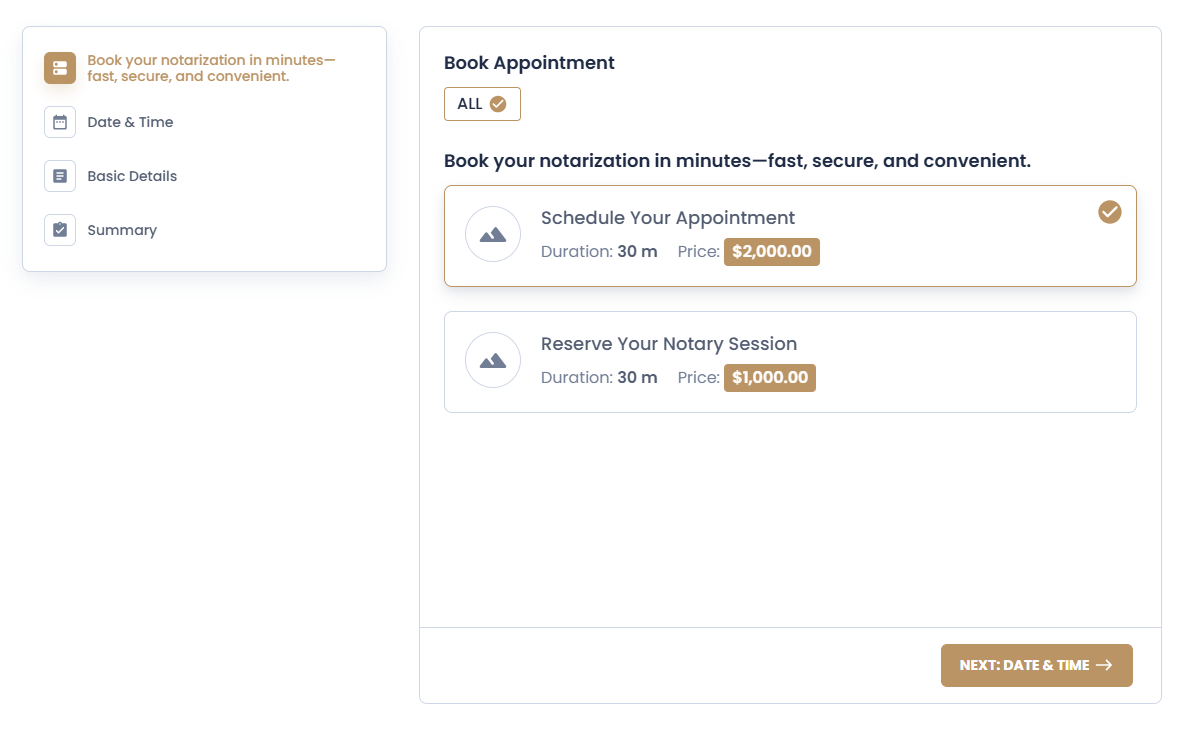
Select Your Service

Choose the notarization service that best fits your needs. Each session is approximately 30 minutes. Please review the pricing before proceeding to the next step.
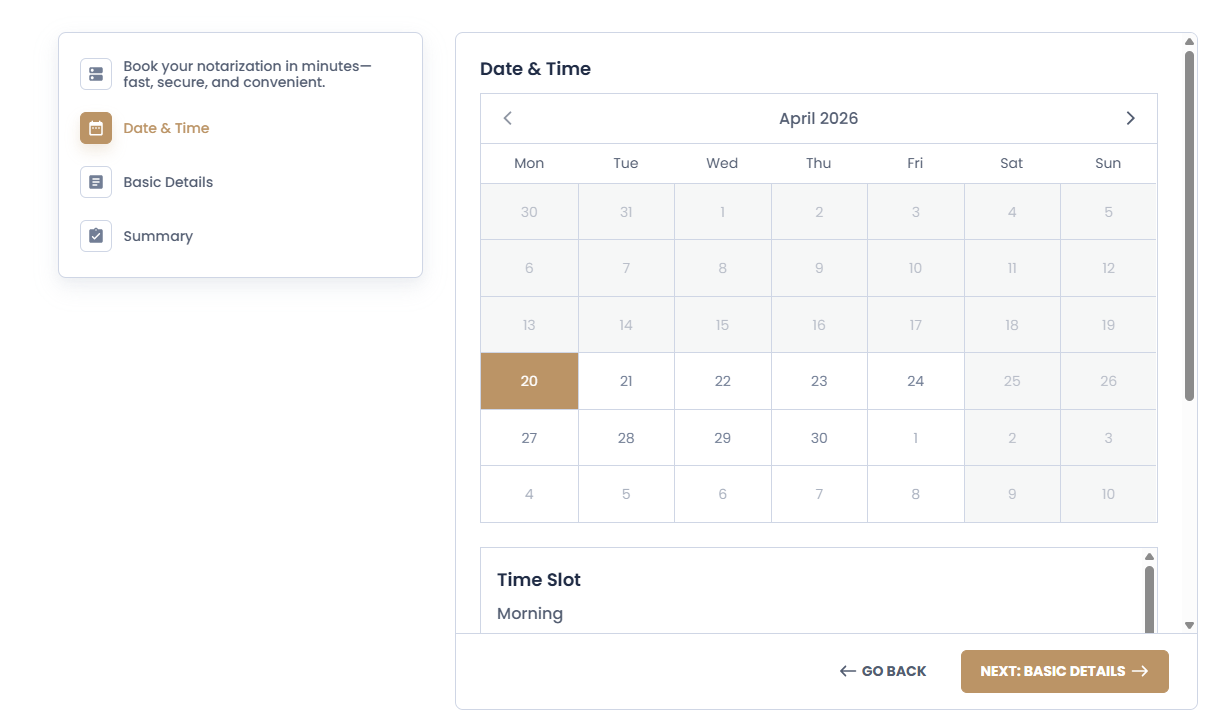
Choose a Date

Select your preferred date from the calendar. Available dates are highlighted to help you plan your schedule easily.
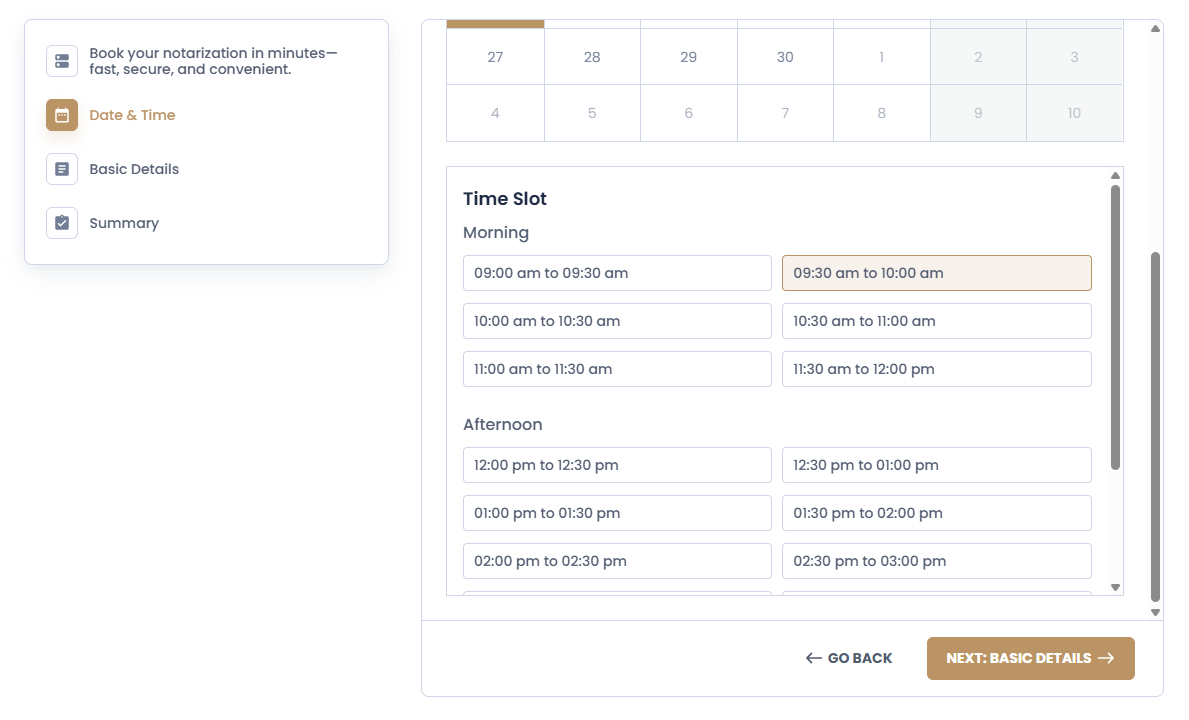
Pick a Time

Choose a convenient time slot from the morning or afternoon options. Once selected, click "Next" to provide your details.
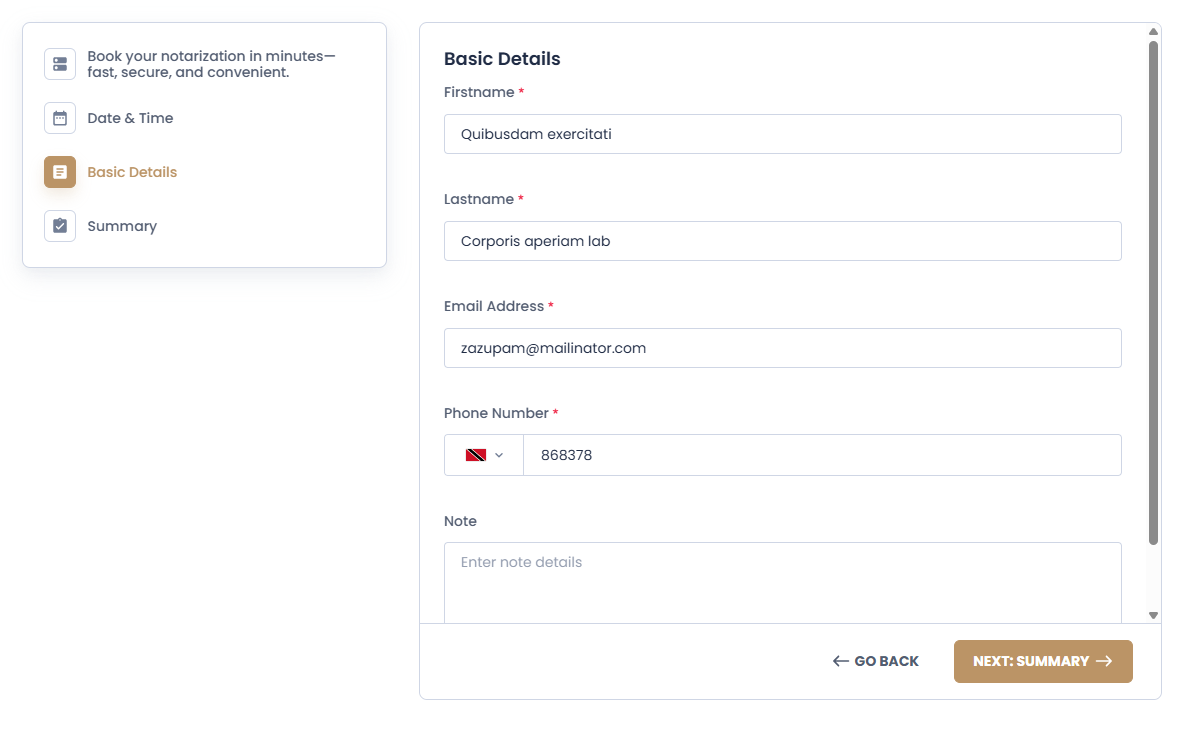
Enter Your Information

Please enter your first name, last name, email, and phone number. This information is required to confirm your identity and contact you regarding the appointment.
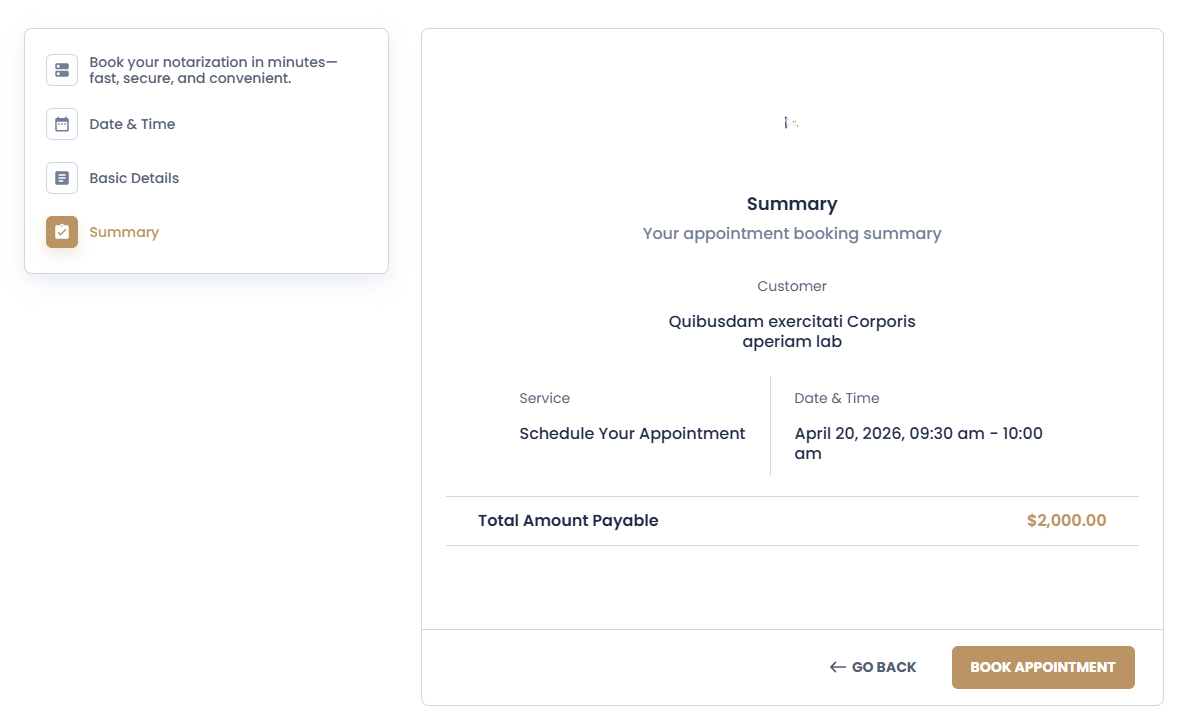
Final Review

Carefully review your selected service, date, time, and total amount. If everything looks correct, click "Book Appointment" to complete the process.